WireMock Standalone Configuration
This page covers installing, configuring, and integrating the WireMock standalone server — from first startup through CI-ready deployment — but not embedded library usage or framework-specific test runners.
How the standalone model fits the mock stack
The standalone distribution runs as an ordinary HTTP process, separate from application code. This means any language, any test runner, and any CI environment can point requests at it without adding a Java dependency to the application build. The trade-off is explicit lifecycle ownership: you start the process, verify it is ready, and tear it down — unlike embedded libraries that bind to a JUnit or pytest session and clean up automatically.
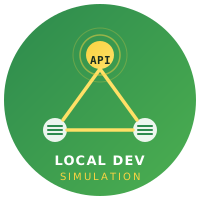
The diagram below shows where the standalone server sits relative to a typical local development stack:
This isolation enables the application under test to treat WireMock exactly like a real upstream service — the same host, port, and protocol — which means no test-only shims in application code.
Prerequisites
- Java Runtime Environment 11 or later (
java -versionto check) -
curlorhttpiefor health checks and manual verification - Docker Engine 24+ (only for Phase 2 Docker deployment)
- Port 8080 (and 8443 for HTTPS) free on localhost
- Basic familiarity with JSON request/response structure
Phase 1 — Core setup: first stub in 5 minutes
Download and start the server
# Download the latest standalone JAR (check wiremock.org for the current version number)
curl -Lo wiremock-standalone.jar \
  https://repo1.maven.org/maven2/org/wiremock/wiremock-standalone/3.6.0/wiremock-standalone-3.6.0.jar

# Create the directory structure WireMock expects
mkdir -p mocks/mappings mocks/__files

# Start the server pointing at that root directory
java -jar wiremock-standalone.jar \
  --port 8080 \
  --root-dir ./mocks \
  --global-response-templating \
  --disable-request-journal \
  --verbose
--global-response-templating activates Handlebars templating on every response body so you can reference request data without declaring "transformers" in each stub. --disable-request-journal prevents heap growth in long-running CI jobs by discarding the in-memory request log.
Write your first stub mapping
Create mocks/mappings/users-get.json:
{
  "request": {
    "method": "GET",
    "urlPathPattern": "/api/v1/users/[0-9]+"
  },
  "response": {
    "status": 200,
    "headers": {
      "Content-Type": "application/json"
    },
    "jsonBody": {
      "id": "{{request.pathSegments.[3]}}",
      "name": "Mock User",
      "email": "mock+{{request.pathSegments.[3]}}@example.com",
      "status": "active",
      "createdAt": "{{now format='yyyy-MM-dd'}}"
    }
  }
}
WireMock hot-reloads file-based stubs; no restart is needed. Send a request to confirm:
curl -s http://localhost:8080/api/v1/users/42 | jq .Expected output:
{
  "id": "42",
  "name": "Mock User",
  "email": "[email protected]",
  "status": "active",
  "createdAt": "2026-06-21"
}
Fault and latency stubs
Fault simulation is a first-class feature: fault values like CONNECTION_RESET_BY_PEER terminate the TCP connection, while fixedDelayMilliseconds injects artificial latency. Both are critical for testing response shaping techniques such as timeout handling and retry budgets.
{
  "request": {
    "method": "GET",
    "urlPath": "/api/v1/payments/slow"
  },
  "response": {
    "status": 200,
    "fixedDelayMilliseconds": 2500,
    "jsonBody": { "status": "settled" }
  }
}
{
"request": {
"method": "POST",
"urlPath": "/api/v1/webhooks/broken"
},
"response": {
"fault": "CONNECTION_RESET_BY_PEER"
}
}Phase 2 — Configuration and wiring
Priority and matcher precedence
When multiple stubs match a request, WireMock selects the one with the highest priority value (lower number = higher priority). Declare priority explicitly for any stub that overlaps a broader pattern:
{
  "priority": 1,
  "request": {
    "method": "GET",
    "urlPath": "/api/v1/users/me"
  },
  "response": {
    "status": 200,
    "jsonBody": { "id": "current", "name": "Authenticated User" }
  }
}
{
"priority": 5,
"request": {
"method": "GET",
"urlPathPattern": "/api/v1/users/[a-z0-9]+"
},
"response": {
"status": 200,
"jsonBody": { "id": "{{request.pathSegments.[3]}}", "name": "Generic User" }
}
}Without explicit priorities, WireMock falls back to insertion order, which is non-deterministic when stubs are loaded from multiple files in parallel.
Header and body matchers
Request matching supports JSON path expressions, regular expressions, and equality checks on headers, query parameters, cookies, and the request body. This enables advanced MSW handler patterns to be mirrored on the server side for full-stack parity:
{
  "request": {
    "method": "POST",
    "urlPath": "/api/v1/orders",
    "headers": {
      "Authorization": { "matches": "Bearer [A-Za-z0-9._-]+" },
      "Content-Type": { "equalTo": "application/json" }
    },
    "bodyPatterns": [
      { "matchesJsonPath": "$.items[?(@.quantity > 0)]" }
    ]
  },
  "response": {
    "status": 201,
    "jsonBody": {
      "orderId": "{{randomValue length=12 type='ALPHANUMERIC'}}",
      "status": "pending"
    }
  }
}
Scenario state machine
Stateful flows (login → session → logout, or order → fulfilment → shipped) use WireMock’s built-in scenario engine. Each stub declares scenarioName, requiredScenarioState, and newScenarioState. This pattern integrates directly with mock lifecycle management principles — state is held in the server process, not the test runner:
{
  "scenarioName": "order-flow",
  "requiredScenarioState": "Started",
  "newScenarioState": "order-placed",
  "request": {
    "method": "POST",
    "urlPath": "/api/v1/orders"
  },
  "response": {
    "status": 201,
    "jsonBody": { "orderId": "ORD-001", "status": "pending" }
  }
}
{
"scenarioName": "order-flow",
"requiredScenarioState": "order-placed",
"request": {
"method": "GET",
"urlPath": "/api/v1/orders/ORD-001"
},
"response": {
"status": 200,
"jsonBody": { "orderId": "ORD-001", "status": "processing" }
}
}Reset all scenario states between test runs:
POST http://localhost:8080/__admin/scenarios/resetDocker service definition
Running WireMock as a Docker service eliminates the JRE prerequisite for team members and CI runners. The official image mirrors the CLI flags exactly, and because the proxy vs inline mocking strategies comparison applies here too — this is a proxy-style external server rather than an inline library — the Docker approach amplifies the language-agnostic benefit:
# docker-compose.yml
version: "3.9"
services:
  wiremock:
    image: wiremock/wiremock:3.6.0
    ports:
      - "8080:8080"
    volumes:
      - ./mocks:/home/wiremock
    command: >
      --global-response-templating
      --disable-request-journal
      --verbose
    healthcheck:
      test: ["CMD", "curl", "-f", "http://localhost:8080/__admin/health"]
      interval: 5s
      timeout: 3s
      retries: 6
      start_period: 10s
Start and wait for readiness:
docker compose up -d wiremock
docker compose wait wiremock   # exits 0 when healthcheck passes
Phase 3 — CI pipeline integration
GitHub Actions workflow
# .github/workflows/integration-tests.yml
name: Integration tests

on: [push, pull_request]

jobs:
  test:
    runs-on: ubuntu-latest
    services:
      wiremock:
        image: wiremock/wiremock:3.6.0
        ports:
          - 8080:8080
        options: >-
          --health-cmd "curl -f http://localhost:8080/__admin/health"
          --health-interval 5s
          --health-timeout 3s
          --health-retries 6

    steps:
      - uses: actions/checkout@v4

      - name: Copy stub mappings into service container
        run: |
          docker cp ./mocks/mappings/. $(docker ps -qf "ancestor=wiremock/wiremock:3.6.0"):/home/wiremock/mappings/
          docker cp ./mocks/__files/. $(docker ps -qf "ancestor=wiremock/wiremock:3.6.0"):/home/wiremock/__files/

      - name: Run integration tests
        env:
          API_BASE_URL: http://localhost:8080
        run: npm test
For parallel CI jobs sharing a host, bind each WireMock instance to a different port and pass that port as an environment variable (MOCK_PORT) to the test process. Do not use --port 0 (random port) in Docker service definitions — the mapped host port must be declared statically in the ports: array.
Per-suite state reset
Between independent test suites running sequentially against the same WireMock process, reset both mappings and the request journal:
# Restore file-based stubs and clear any programmatically added stubs
curl -X POST http://localhost:8080/__admin/mappings/reset

# Clear the request journal (only relevant if --disable-request-journal is NOT set)
curl -X POST http://localhost:8080/__admin/requests/reset

# Reset all scenario state machines
curl -X POST http://localhost:8080/__admin/scenarios/reset
This three-step reset mirrors managing mock server lifecycles in Docker and ensures each suite starts with a known server state rather than inheriting residual scenario state from a prior run.
Verification steps
-
curl -s http://localhost:8080/__admin/healthreturns{"status":"running"} -
curl -s http://localhost:8080/__admin/mappings | jq '.mappings | length'returns the expected stub count -
curl -s http://localhost:8080/api/v1/users/42 | jq .idprints"42"(templating active) -
curl -s http://localhost:8080/__admin/requestsreturns an empty or populated log (confirms journal state) - A POST to
/__admin/scenarios/resetfollowed by a scenario-first request returns the initial state response
Troubleshooting
404 with near-match report in the response body
WireMock returns a JSON mismatch report explaining which matchers passed and which failed. Enable --verbose at startup to see this in the server log. The most common causes are:
- URL pattern mismatch.
urlPathrequires an exact path without query string;urlPathPatternaccepts a regex;urlmatches the full path including query string. Using the wrong field type silently fails all requests with query parameters. - Missing
Content-Typeheader matcher. If the stub declares abodyPatternsentry, WireMock also validatesContent-Type: application/jsonby default. Add the header to your test request or remove the implicit header check via"ignoreArrayOrder": truein the body pattern.
Port already in use at startup
java.net.BindException: Address already in use
Find and free the process on the port:
lsof -ti:8080 | xargs kill -9In parallelised CI, use a unique port per test worker:
java -jar wiremock-standalone.jar --port $((8080 + WORKER_INDEX))Template rendering returns literal Handlebars syntax
The Handlebars expression appears verbatim in the response — for example {{request.pathSegments.[3]}} — instead of being evaluated. Cause: --global-response-templating is absent from the startup flags, or the stub explicitly sets "transformers": [] (an empty list overrides the global setting). Fix: add --global-response-templating to the start command, or add "transformers": ["response-template"] to the stub’s "response" object.
Scenario stuck in wrong state
After an error mid-scenario, the server state machine may be stranded in an intermediate state, causing all subsequent requests to return 404. Reset with:
curl -X POST http://localhost:8080/__admin/scenarios/resetAutomate this in test suite teardown hooks to prevent bleed between runs.
OutOfMemoryError in long-running CI jobs
The request journal accumulates every request in heap memory. Either pass --disable-request-journal at startup (preferred for CI) or periodically flush it:
curl -X DELETE http://localhost:8080/__admin/requestsIf you need the journal for debugging, increase heap with -Xmx512m before the -jar flag.
When to advance
The WireMock standalone setup is ready when:
- All defined stubs return the expected responses and Handlebars templates evaluate correctly.
- The CI pipeline waits for the health check before running tests, and tests pass consistently across at least three consecutive runs.
- State reset calls between suites produce a clean server state (confirmed by checking
/__admin/mappingscount and/__admin/scenarios). - Stub files are committed to version control with consistent JSON formatting enforced by a pre-commit hook.
At that point, move on to containerising the environment end-to-end with running WireMock in Docker Compose, or explore setting up WireMock with Spring Boot if the Java application tier needs in-process mocks alongside the standalone server.
When standalone WireMock is the right shape
WireMock can be embedded in a JVM test, run as a standalone process, or run as a container. The standalone shape has a specific set of advantages, and it is worth being clear about when they apply.
Any client can reach it. This is the property that eliminates alternatives rather than merely scoring above them. A JavaScript interceptor cannot serve a Go service; an embedded JVM instance cannot easily serve a browser on another machine. A standalone server on a port serves anything that can make an HTTP request, which is what makes it the right answer for polyglot stacks and for demonstrations on somebody else’s laptop.
Definitions are files. Mappings are JSON on disk, which means they can be reviewed in a pull request, generated from a specification, diffed when they change and reloaded without a restart. That is a substantially better position than definitions that exist only as a sequence of admin API calls in a setup script.
The admin API is a real interface. Health, mappings, scenarios, the request journal and near-miss diagnostics are all queryable from a shell. A great deal of debugging that would otherwise require adding logging to the application becomes a curl and a jq filter.
It behaves like a server, because it is one. Transport-level faults — connection resets, empty responses, malformed chunks — are available in a way no in-process interceptor can offer, because there is a real socket to misbehave on.
Against those, three costs. It is a process, so it needs a lifecycle: started, health-gated, stopped. It boots a JVM, which is a few seconds that must be paid somewhere. And it holds state globally, so parallel consumers need scoping or separate instances.
The shape that follows from all of this is fairly consistent across teams: one standalone instance per CI job, started at job level so boot is paid once, definitions mounted read-only from the repository, scenarios reset between test files, and the journal archived when a job fails. Everything in this guide is in service of that arrangement.
FAQ
Does the standalone JAR support recording real API traffic automatically?
Yes. Start with --record-mappings --proxy-all https://api.example.com and WireMock writes a stub file for every proxied request. This accelerates the first pass of stub creation but introduces non-determinism — recorded stubs reference data from a live service at a point in time. For production CI, replace recorded stubs with hand-authored, version-controlled ones as soon as initial coverage is established.
How do I serve different responses based on the request body content?
Use bodyPatterns with a matchesJsonPath or equalToJson matcher in the request definition. Each pattern is evaluated against the parsed request body, and the first stub whose all patterns match wins. Combine this with scenario state to serve different responses on repeated calls to the same endpoint.
Can I run multiple WireMock instances on the same machine?
Yes — each instance needs a distinct --port and --root-dir. Assign ports programmatically in test orchestration scripts using environment variables, and verify each instance independently via its /__admin/health endpoint before routing traffic to it.
Does WireMock standalone handle WebSocket connections?
Not in the standalone JAR for general WebSocket proxying. For WebSocket-heavy frontends, evaluate Mock Service Worker MSW setup which intercepts at the browser’s Service Worker layer, or use a dedicated WebSocket mock server alongside WireMock for HTTP.
Related
- Running WireMock in Docker Compose — containerise this setup with a full Compose stack
- Setting Up WireMock with Spring Boot — in-process embedded WireMock for JVM test slices
- Mock Lifecycle Management — startup, teardown, and state-reset patterns across all mock server types
- Proxy vs Inline Mocking Strategies — when an external server like WireMock is the right choice
- Best Practices for Dynamic Response Shaping — Handlebars templating patterns that apply directly to WireMock stubs
← Back to Tool-Specific Implementation & Setup